
At least 19 (18 in some provinces)
Your birth date is compared with your ID. The usual minimum is 19, or 18 in Alberta, Manitoba and Québec.

New account · 18+
Set up an account with care: review the information to prepare, the form fields, identity checks and useful first-day account settings.
Independent guide: this page shows a sample layout and does not open an account. Check Level Up’s current terms and licensing details on the official site before playing. 18+ only.
01Prepare these
Registration is quicker when your information is ready. Canadian operators generally request similar personal and account details.
Your birth date is compared with your ID. The usual minimum is 19, or 18 in Alberta, Manitoba and Québec.
Your Canadian residential address, matching official correspondence. Ontario-regulated sites also confirm that you are physically in Ontario.

Use an email address and phone number you control for confirmation codes, security messages and account updates.

Verification may require a driver’s licence, passport, provincial photo ID or PR card, together with address proof if requested.
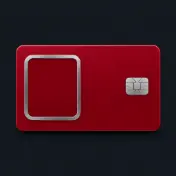
02Preview the layout
This illustrates a typical registration layout. It is an independent example, not connected to Level Up or any casino, so do not enter real personal information.

Visit the operator’s genuine site, check that your name and birth date match your ID, and read the terms before you continue.
03Registration steps
The exact screens vary by operator, though the signup process usually follows this sequence.
Enter the web address yourself or open a saved bookmark, then choose Sign up. Avoid links in ads or messages.
Enter your legal name, date of birth and Canadian address as shown on your identity documents.
Submit any codes sent to you. They may expire quickly, so leave the page open while you check them.
Provide documents if requested, and set a deposit limit before making your first payment.

Setting a deposit limit on your first day may be easier to stick to than changing it during a session. 19+ only.
Limits and help →04Identity checks
Canadian anti-money-laundering rules, overseen by FINTRAC, call for casinos to verify player identities. These checks help protect minors, respect self-exclusion and make payments traceable.
Regulated casinos verify identity, age and address, screen self-exclusion lists and may ask about the source of funds. Some allow provisional accounts during checks, while holding withdrawals until verification is finished.

05Secure your account
Your account contains personal information and funds. Two-factor authentication (2FA) pairs your password with a one-time code, making a stolen password alone insufficient for access.
+Safer habits | −Avoid these habits | |
|---|---|---|
| 01 | Use a passphrase that is at least 12 characters long | Avoid names, birthdays and simple number sequences |
| 02 | Choose a password not used on any other account | Do not reuse your email account password |
| 03 | Keep it safely in a password manager | Never share codes, even with someone claiming to be support |
| 04 | Use an authenticator app for 2FA if this option is available | Do not save your password on a device shared with others |
Already have an account? Learn how two-factor codes work when you log in.
06Once you have signed up
New accounts may receive a welcome offer. In Ontario, regulated operators display offers on their own site or app, or to players who opted in. Level Up’s offer and terms may change, so check the official site before playing; this page is an independent guide, not the operator.

500free spins
with a C$20 deposit
No code needed19+ · GET UP TO C$20,000 + 500 FS · Check the official site for current terms · T&Cs apply

C$20,000
plus 500 FS in the welcome offer
No code needed19+ · GET UP TO C$20,000 + 500 FS · Check the official site for current terms · T&Cs apply
07Play within limits
Choose limits when you feel clear-headed, rather than mid-session. Available tools and rules depend on the operator and the province where you play.
08When registration gets stuck
A small detail often explains a registration issue. Don’t create another account to try to bypass it.
An account may already exist. Try resetting its password instead of registering again.
Reset your password →Check your spam folder and confirm the number has +1 and your area code. Wait briefly before requesting another code.
Forms may require dates in YYYY-MM-DD format. Enter your name exactly as it appears on your ID, including middle names.
A self-exclusion, age check or location restriction may be involved, such as being outside Ontario on an Ontario-regulated site. Ask the operator for details.
09Payments
Your Level Up balance is managed through the cashier, where available methods, limits and processing details can change. Review the displayed information before confirming a transaction.
Canadian players may see Interac e-Transfer, debit cards, e-wallets and cryptocurrencies among the available payment methods. The cashier is the best place to check the applicable minimum deposit, transaction limits, fees and supported currency. Level Up uses C$ for Canadian-dollar balances. A deposit can normally be requested after account creation, but a withdrawal may require identity and payment-method checks before funds are released.
Processing time depends on the method and whether the transaction needs review. Level Up does not state a minimum withdrawal in the supplied information, so do not assume one. Keep transaction receipts and use the same payment method where possible. If a payment remains pending, contact support through customer support and include the transaction date, amount and method.
10Promotions
The headline offer is only one part of a promotion. Read the bonus rules in your account and the current terms before depositing or playing with promotional funds.
Level Up presents the welcome offer as GET UP TO C$20,000 + 500 FS. The supplied offer information does not state a wagering requirement or expiry period, so check the live promotion terms for those conditions rather than relying on assumptions. The stated maximum bet is C$1,000 while bonus conditions apply. The cashier or promotion page may also explain which games, deposits and account actions qualify.
Confirm that the offer is available to your account and that your registration details are complete.
Look for wagering, expiry, qualifying deposit, game contribution and maximum-bet rules.
Follow the displayed instructions before making a qualifying deposit; no promo code is supplied in the available facts.
Monitor bonus funds, free spins and any expiry notice in the account area.
Promotions can have separate rules from ordinary cash play. A maximum-bet breach may affect bonus eligibility, while an expired promotion may remove unused bonus value or spins. If the wording is unclear, ask support before opting in. You can also compare the general bonuses and promotions information with the specific offer shown after signing in.
11Common questions
People who meet the legal gambling age in their province and the operator’s residence and location requirements may register. Self-exclusion checks may also apply.
Identity checks may be required to process funds. Level Up may ask for photo ID, proof of address and payment method confirmation; check the official site for current requirements.
No code is needed for the offer listed here. Offers and terms can change, so check the official Level Up site before you play.
Check the operator’s terms before registering. Duplicate accounts may be restricted, and any applicable terms are set by the operator.
Requirements can vary. If two-factor authentication is available, consider enabling it to add protection to your account.
No. This independent guide is not the operator, and this page does not create or verify accounts. Use Level Up’s official site.
12What to explore next


